Notifications
HEY push notifications are off by default, so your phone doesn’t interrupt you for every minor email. You can turn them on for your Imbox, for a whole domain, or for specific contacts or threads, so you don’t miss the emails you care about.
On this page
- Understanding push notifications
- Turning on push notifications
- Reviewing your notifications
- Finding new email without notifications
- Turning on icon badges
Understanding push notifications
A push notification is a message, often with a sound, that shows on your computer, phone, or other device to tell you something just happened. They’re useful when you want them, and annoying when you don’t.
Turning on push notifications
You can turn on push notifications for your whole Imbox, for a whole domain, for one contact, or for one email thread. These steps are for a web browser.
For the whole Imbox
You get a notification each time a new email arrives in your Imbox.
- Click your avatar at the top right.
- Click Notifications.
- Under Imbox notifications, turn on the switch.
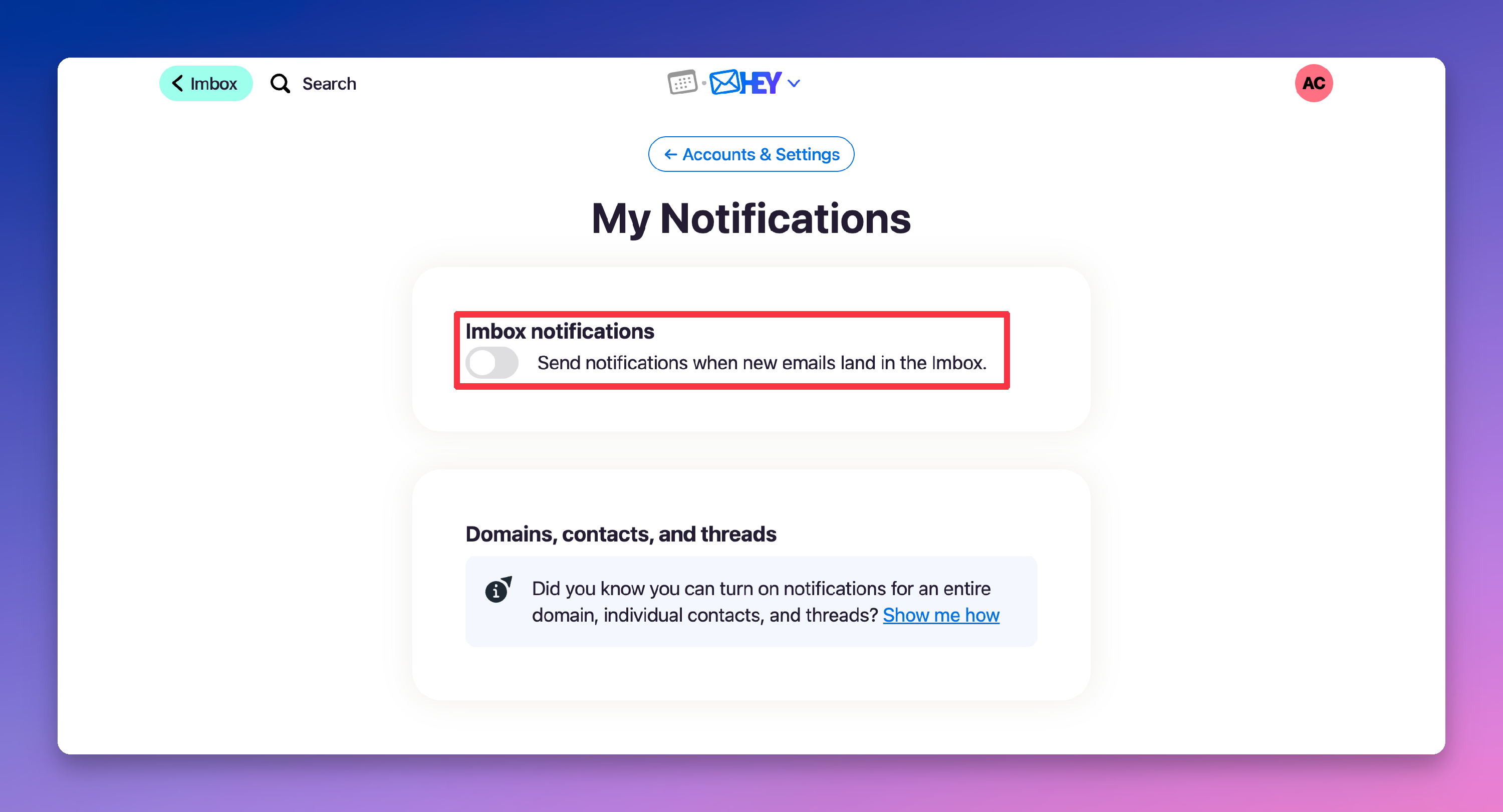
To turn notifications off, turn off the switch.
For a whole domain
A domain is the part of an email address after the @ sign, such as @eater.com. You get notifications only for contacts from that domain who you have screened in.
- Open the page of a contact from that domain.
- Click the domain name at the top left, for example @eater.com.
- Click Not notifying for this domain.
- Under When screened-in contacts from @eater.com send an email…, click Notify me.
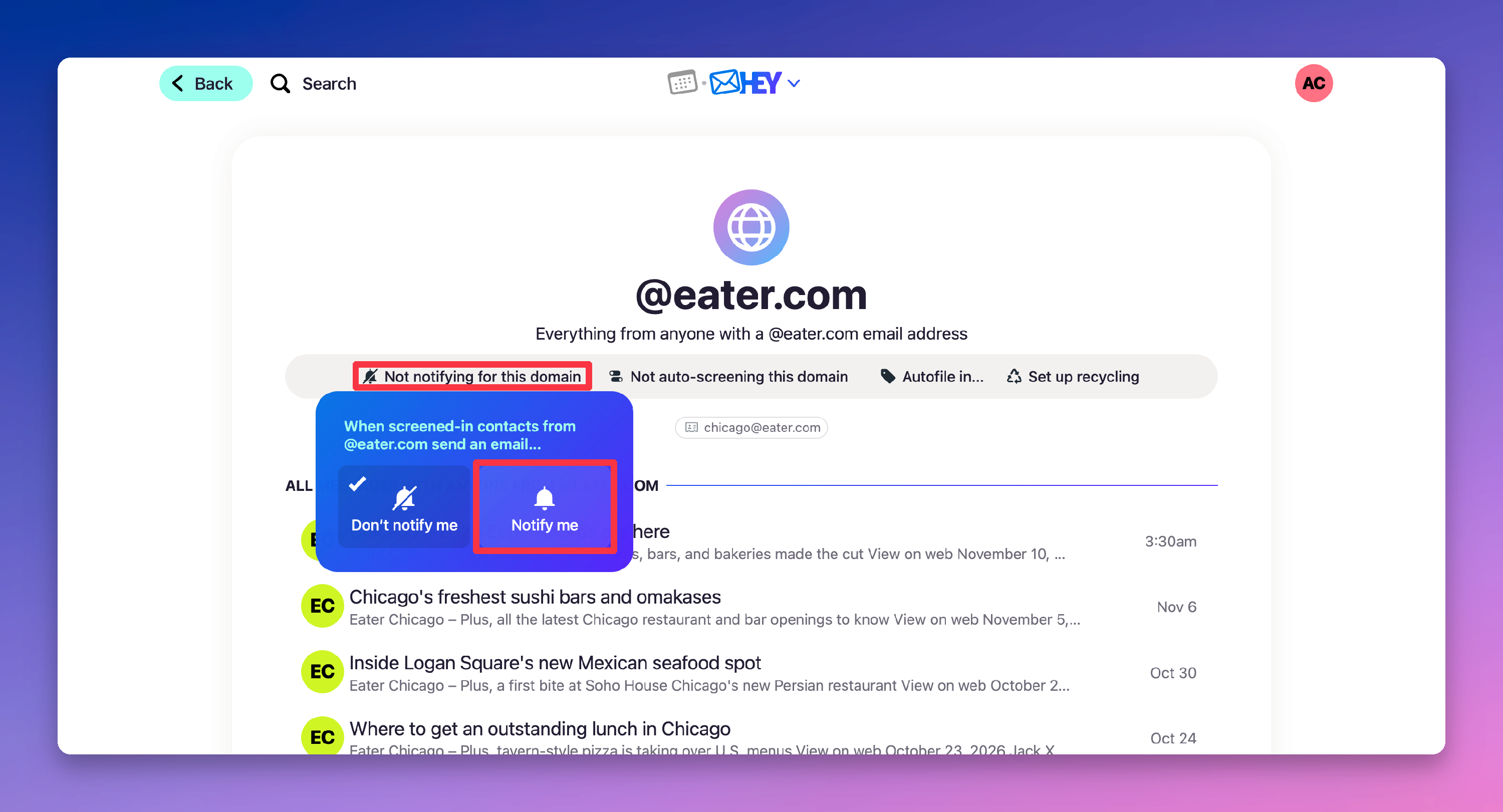
The button changes to Notifying for this domain. To turn notifications off, click Notifying for this domain, then click Don’t notify me.
For a contact
- Open the contact’s page.
- Click Not notifying.
- Under When they send an email…, click Notify me.
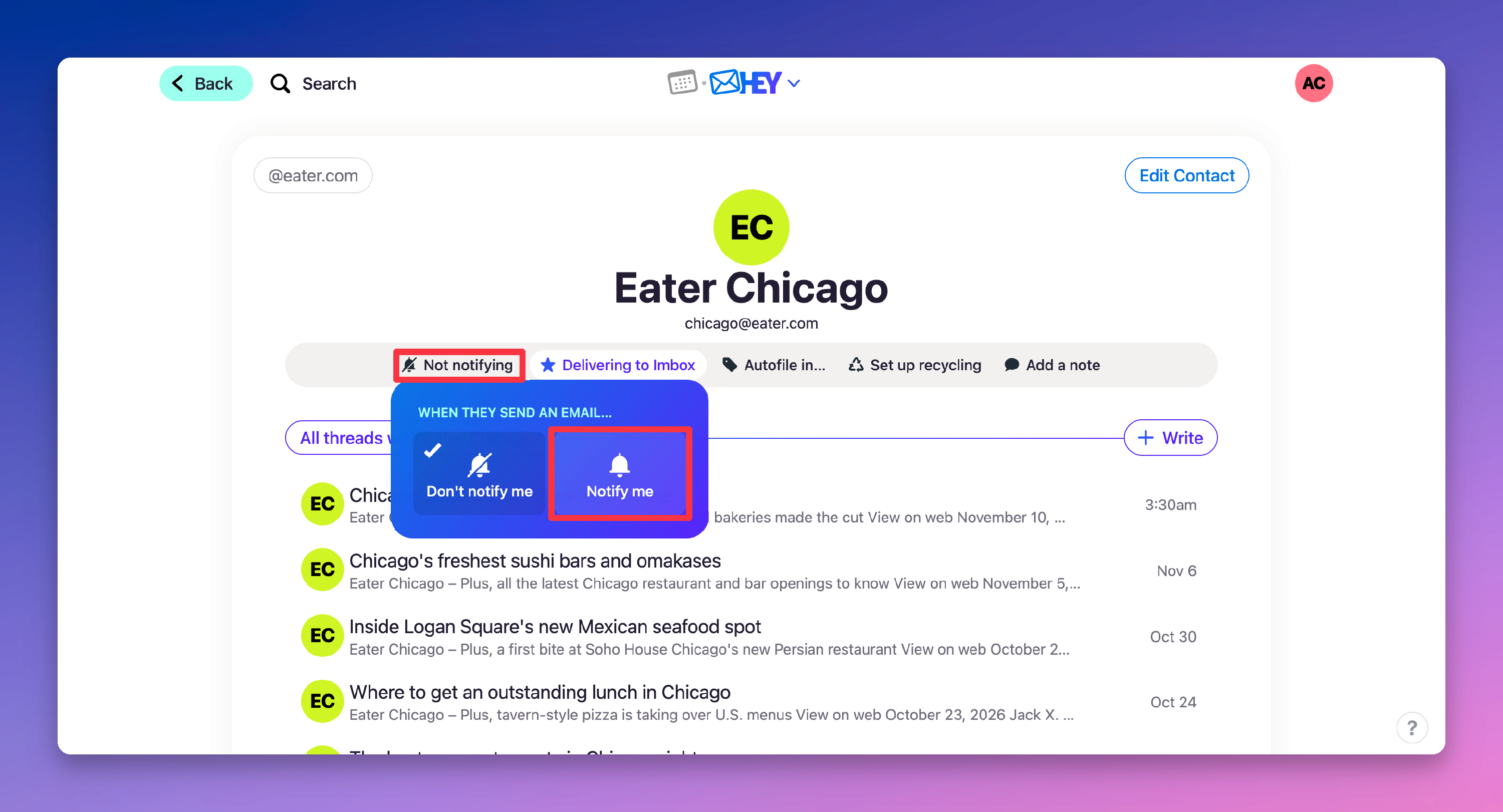
The button changes to Notifying. To turn notifications off, click Notifying, then click Don’t notify me.
For an email thread
- Open the email thread.
- Click More.
- Under Thread Options, click Send me push notifications.
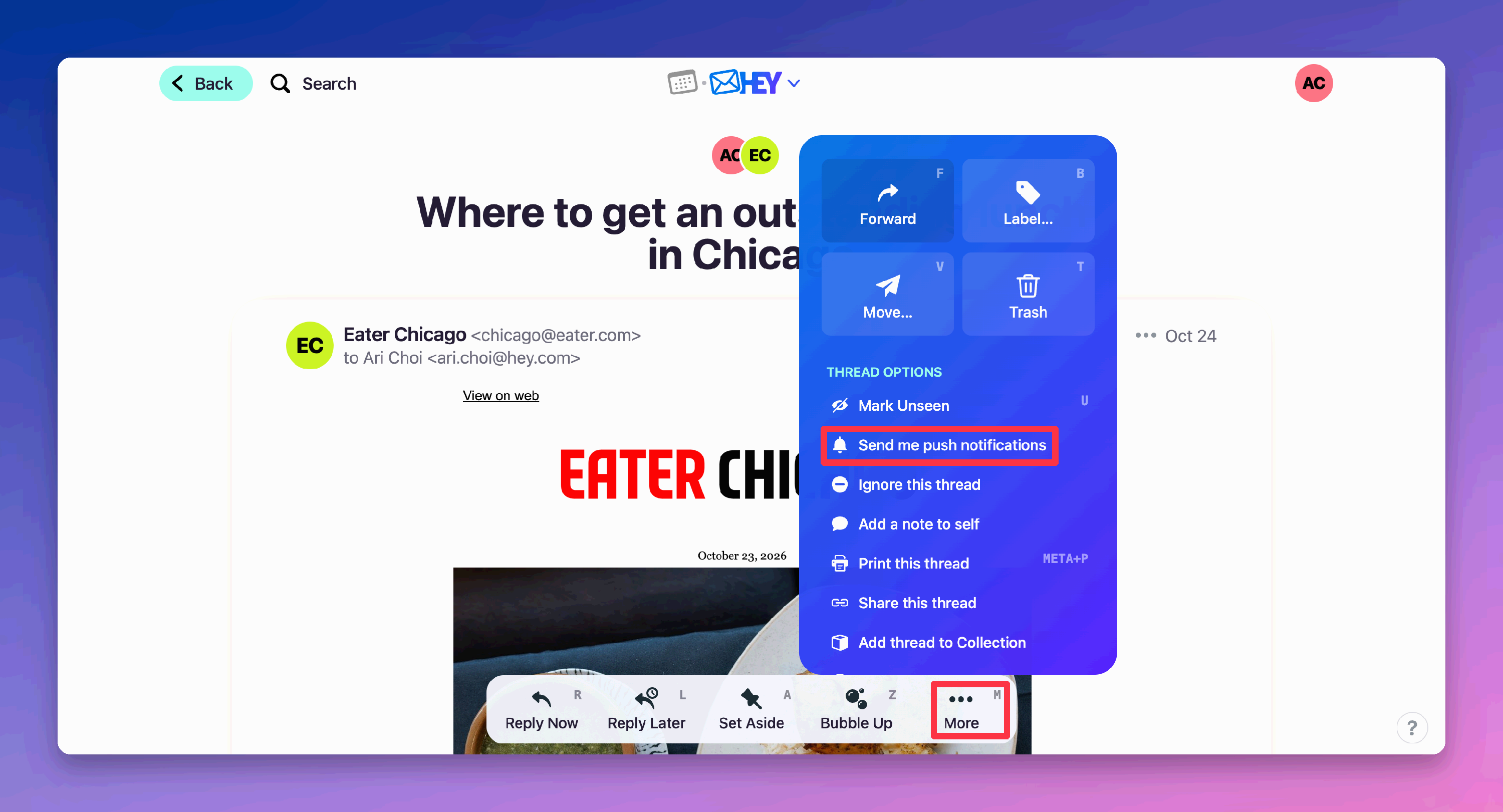
A Notifying button shows at the top of the email. To turn notifications off, click Notifying.
Reviewing your notifications
The My Notifications page lists each domain, contact, and thread that has notifications on. Each one has its own switch.
- Click your avatar at the top right.
- Click Notifications.
- Under Domains, contacts, and threads, turn off the switch for each item you no longer want.
Finding new email without notifications
Every new email in your Imbox appears in New for You, at the top. Open HEY, and you see them first. Notifications alert you to an email from someone, or about something, when you aren’t looking at your email.
Turning on icon badges
HEY doesn’t show icon badges for unread or important emails. An icon badge is the number or dot that shows on an app icon. HEY leaves badges out on purpose, because they distract you from what matters right now.