Reply Later
Keep emails that need a response together in Reply Later until you’re ready to answer them. They wait in a separate pile at the bottom of your Imbox.
On this page:
Adding emails to Reply Later
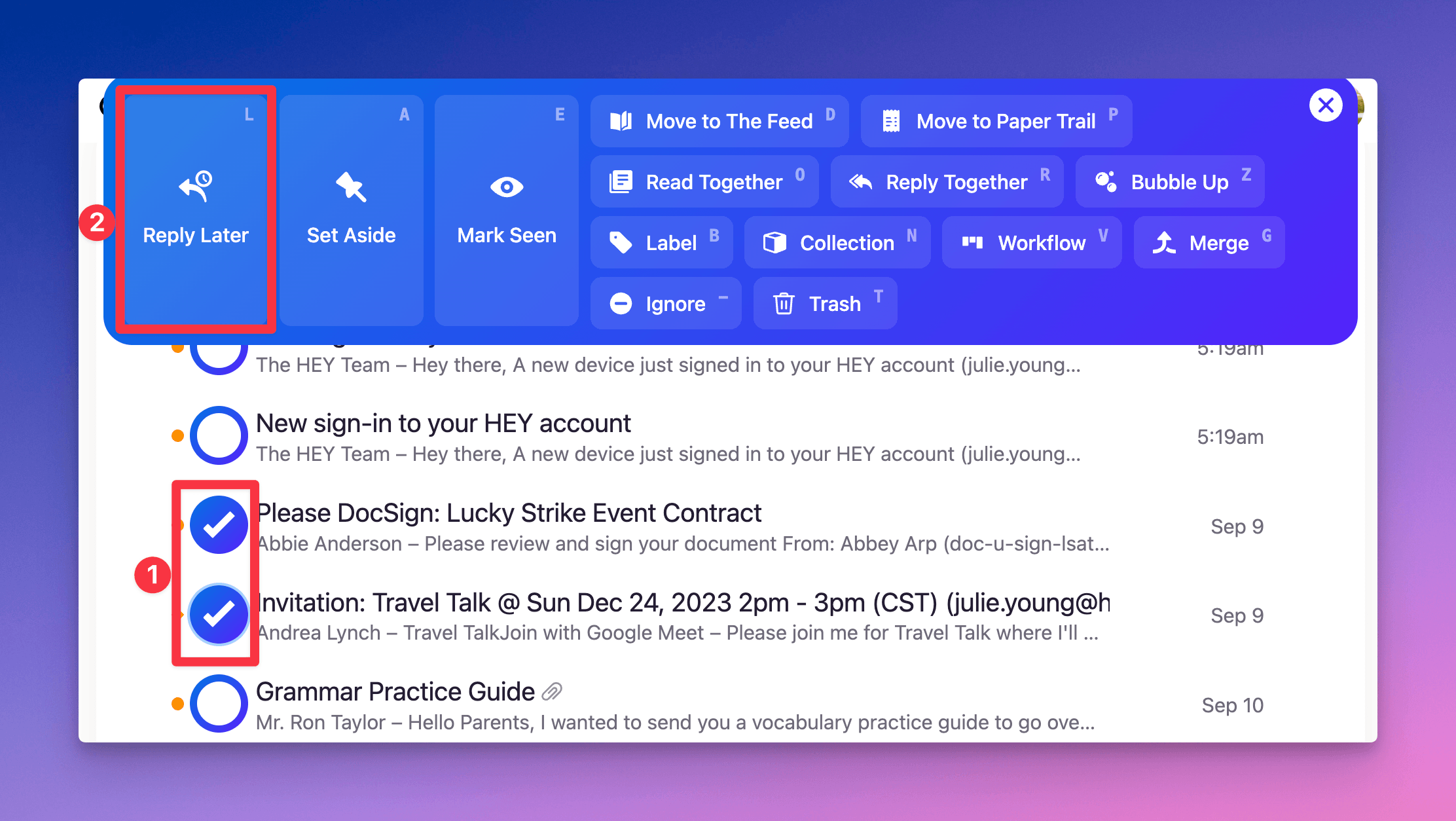
- Click the sender’s avatar at the beginning of the email’s row
- Select Reply Later from the action menu, or press L on your keyboard
To add several emails at once, select each sender’s avatar before choosing Reply Later.
Replying to saved emails
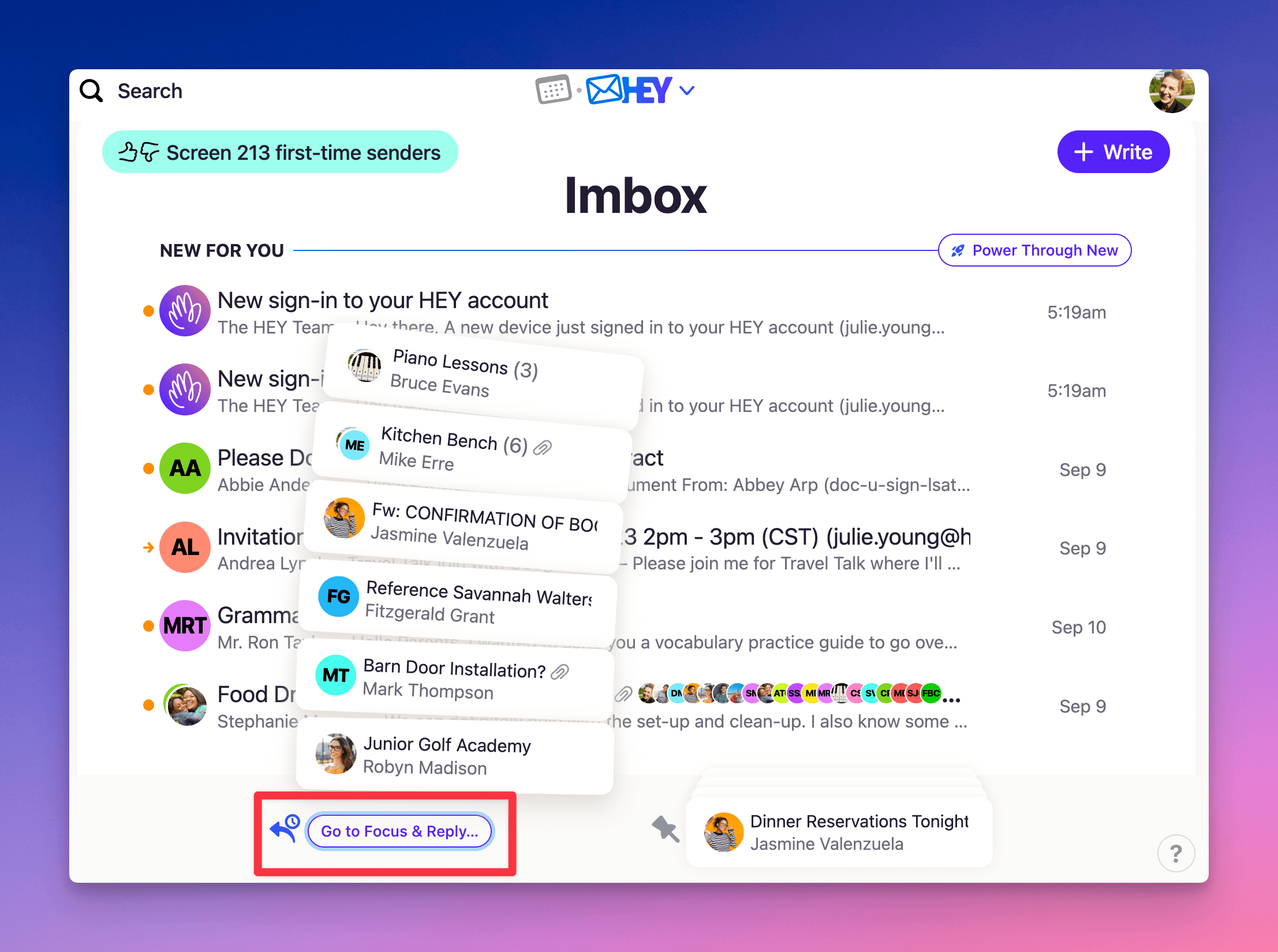
Click the Reply Later pile at the bottom of your Imbox to expand it, then select an email to open and reply.
To work through your replies together, select Go to Focus & Reply beneath the expanded pile. Emails you reply to leave the pile automatically. Unanswered emails stay there for later.
Removing emails from Reply Later
- Click the Reply Later pile to expand it
- Click the sender’s avatar beside the email
- Select Done from the action menu, or press I on your keyboard
To remove several emails at once, select each sender’s avatar before choosing Done.
If you’re reading an email, click Reply Later n the bottom toolbar or press L on your keyboard to turn it off.