Set Aside
Set aside emails you’ll need to reference again, such as travel details or useful links. They stay together in a pile at the bottom of your Imbox so you can find them quickly.
On this page:
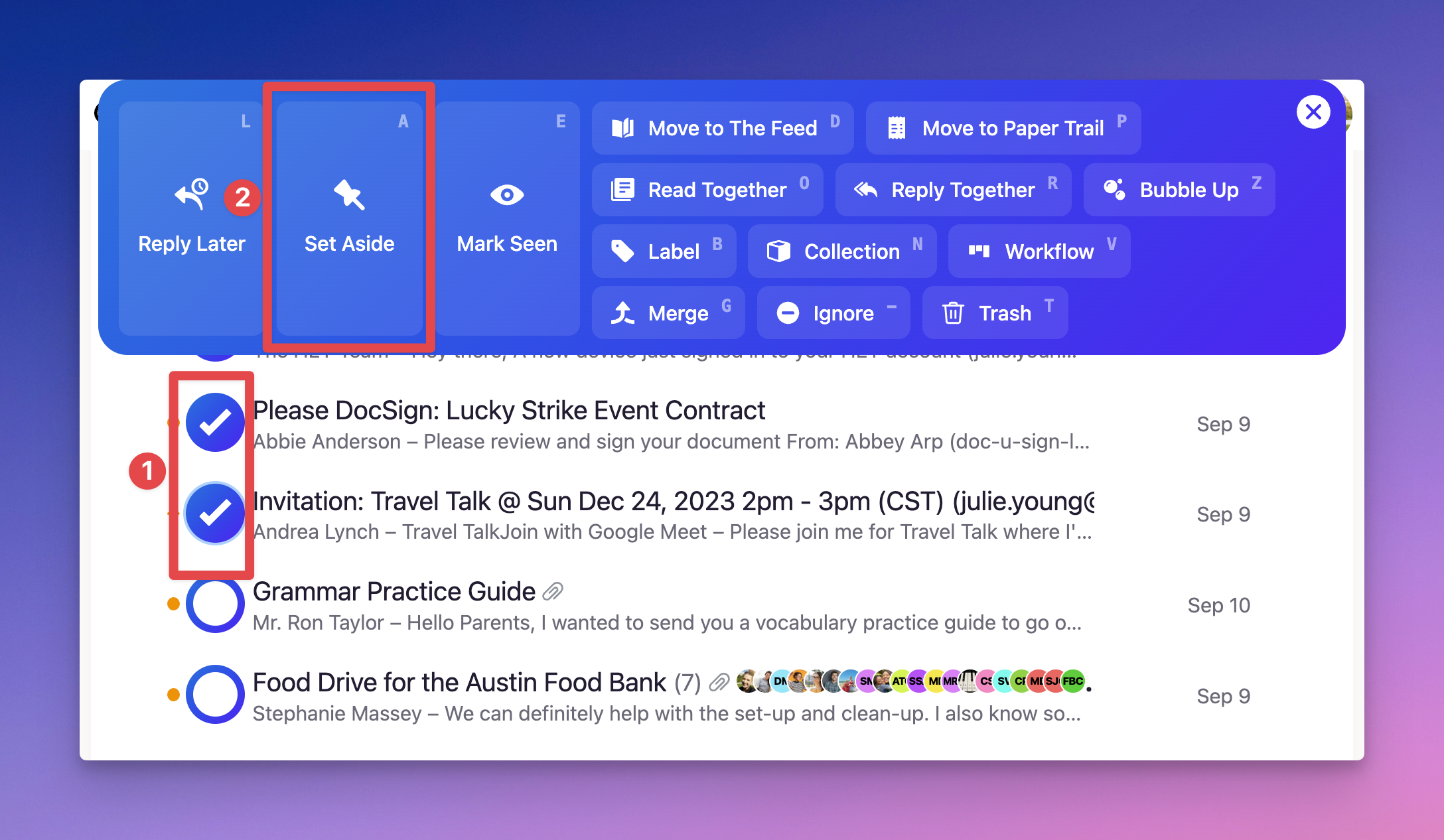
Setting emails aside
- Click the sender’s avatar at the beginning of the email’s row
- Select Set Aside from the action menu, or press A on your keyboard
To set aside several emails at once, select each sender’s avatar before choosing Set Aside.
Finding your set-aside emails
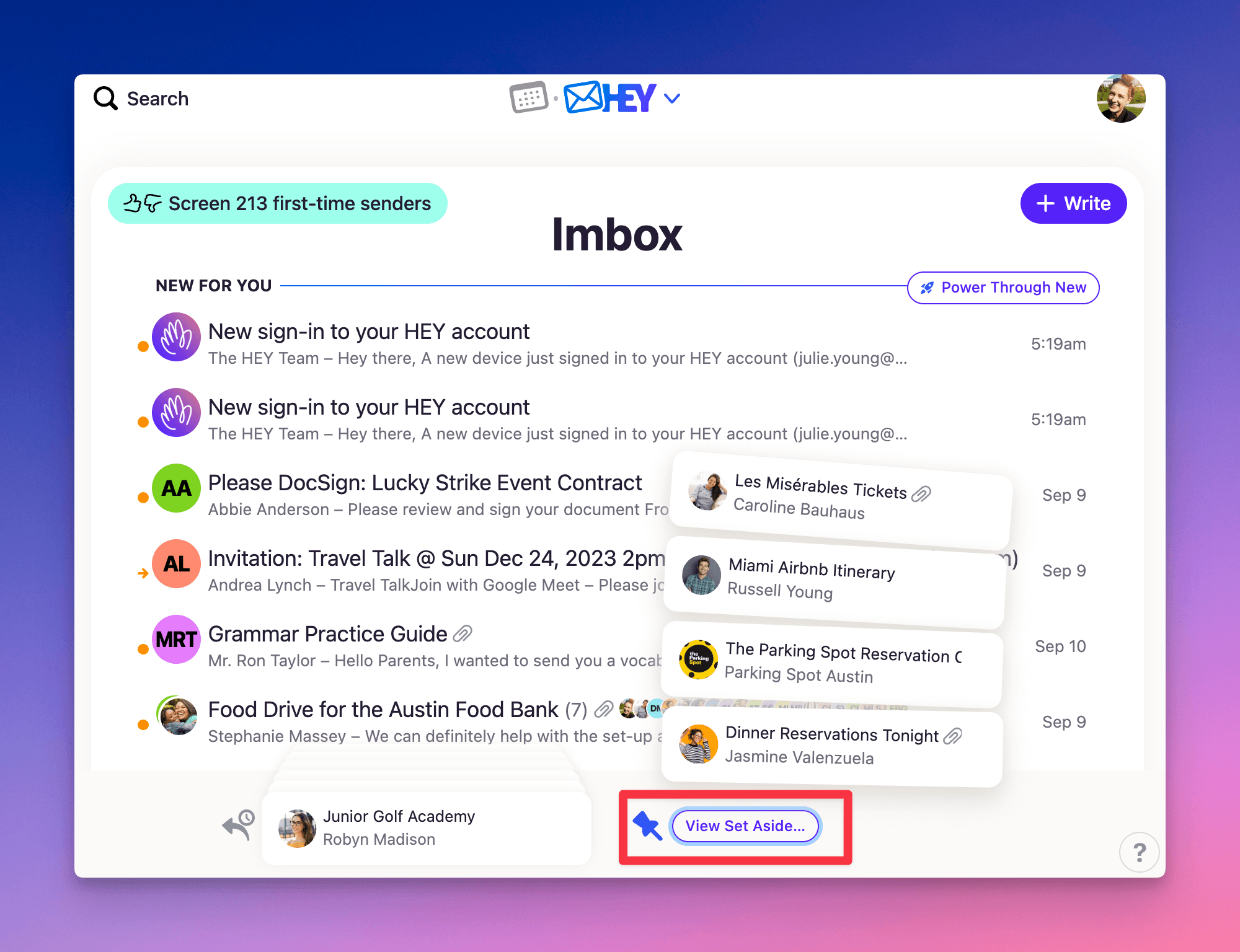
Click the Set Aside pile at the bottom right of your Imbox to expand it, then select an email to open it.
To see previews of all your set-aside emails on one page, click Set Aside Board beneath the expanded pile.
Removing emails from Set Aside
- Click the Set Aside pile to expand it
- Click the sender’s avatar beside the email
- Select Done from the action menu, or press I on your keyboard
If you’re reading the email, click Set Aside in the bottom toolbar to turn it off.