Forwarding out of HEY to another email address
Forwarding sends the email that arrives at your HEY address to another address, such as Gmail, Outlook, or iCloud. People use it to read their HEY email somewhere else, or to catch email sent to their @hey.com address after they close an account that they paid for. To forward email from another address into HEY, see Forwarding into HEY from other email addresses.
On this page
Forwarding HEY email to another address
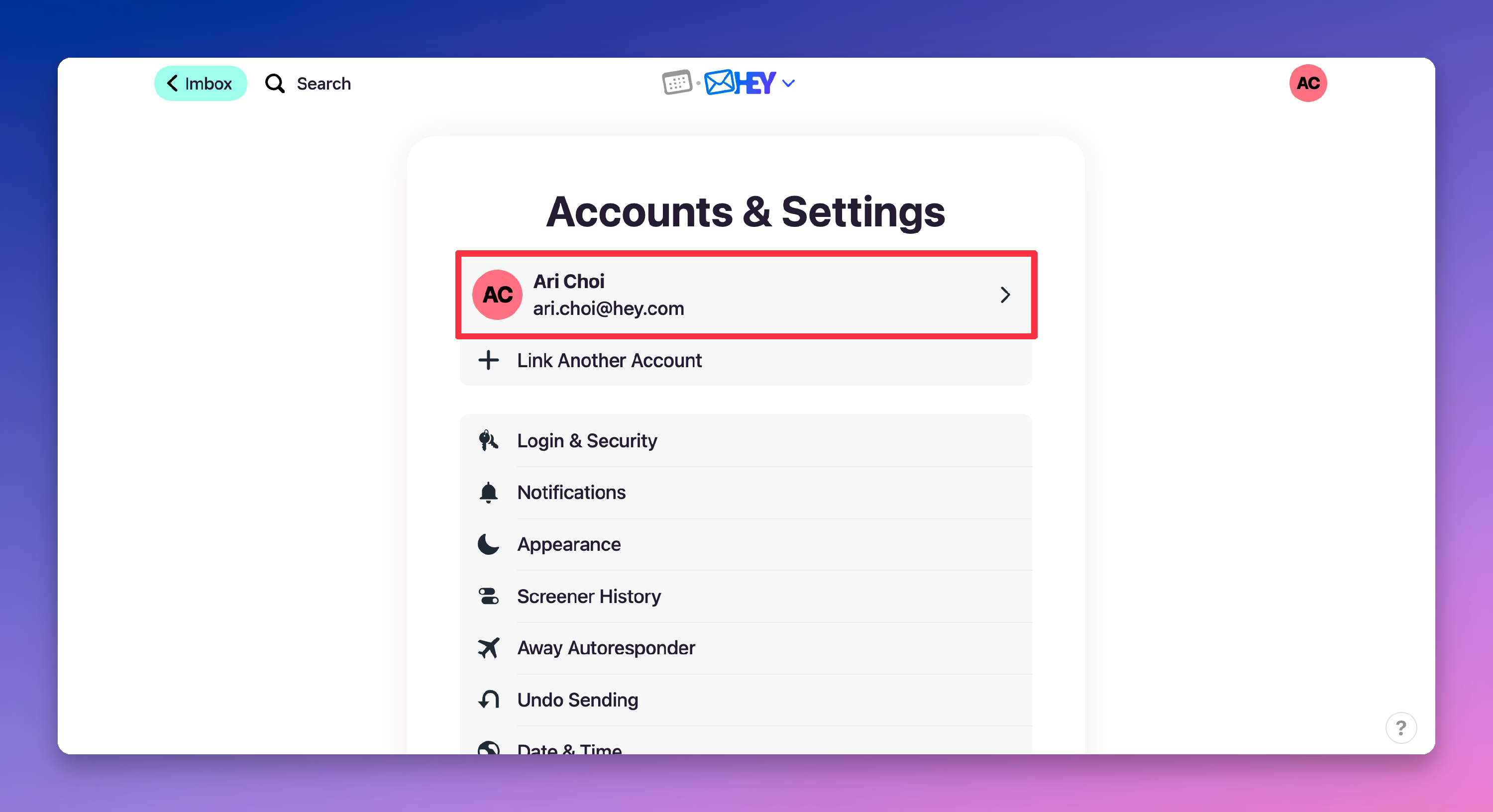
- Click your avatar (top right).
- Click the account you want to forward from.
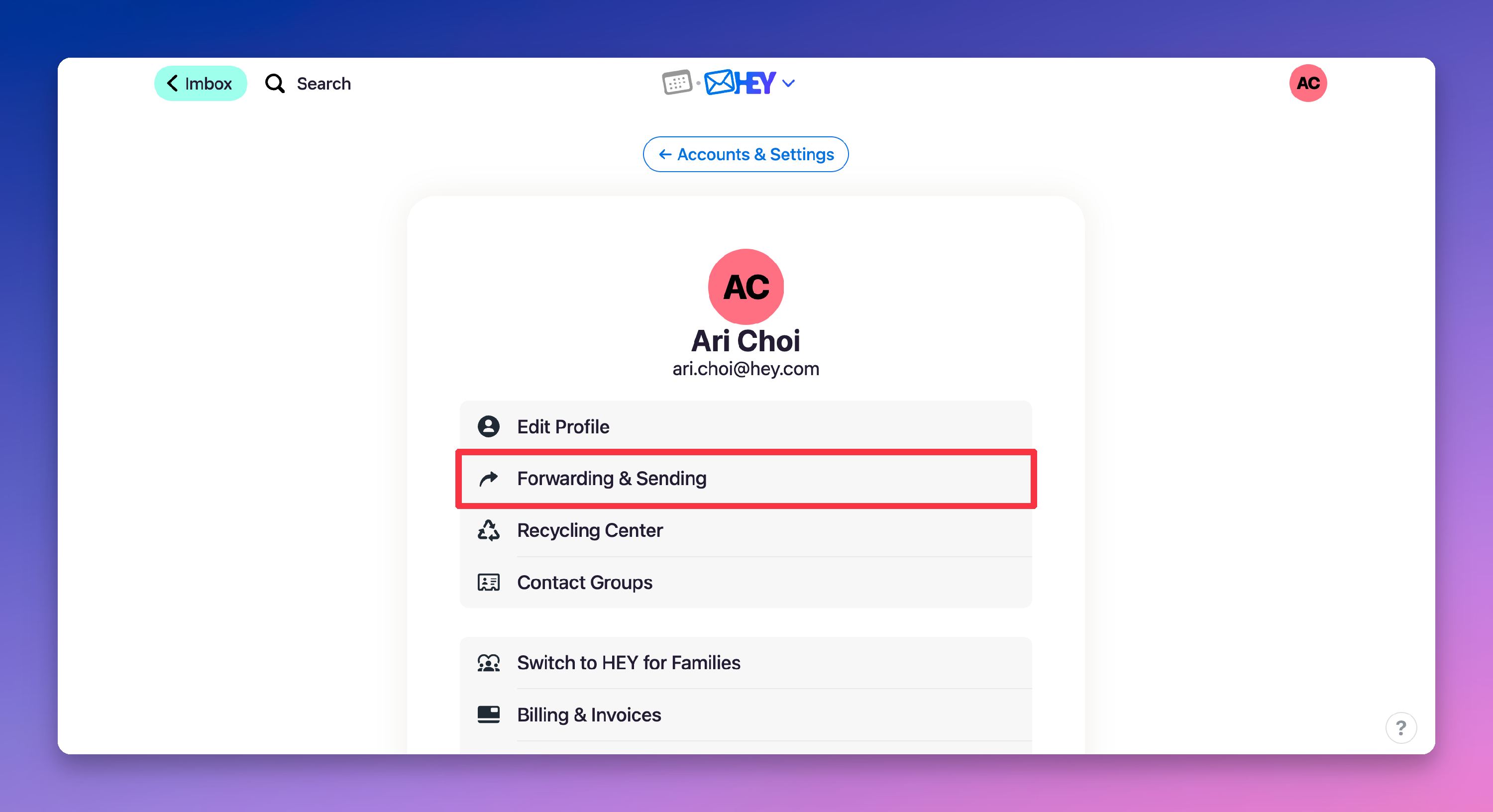
- Click Forwarding & Sending.
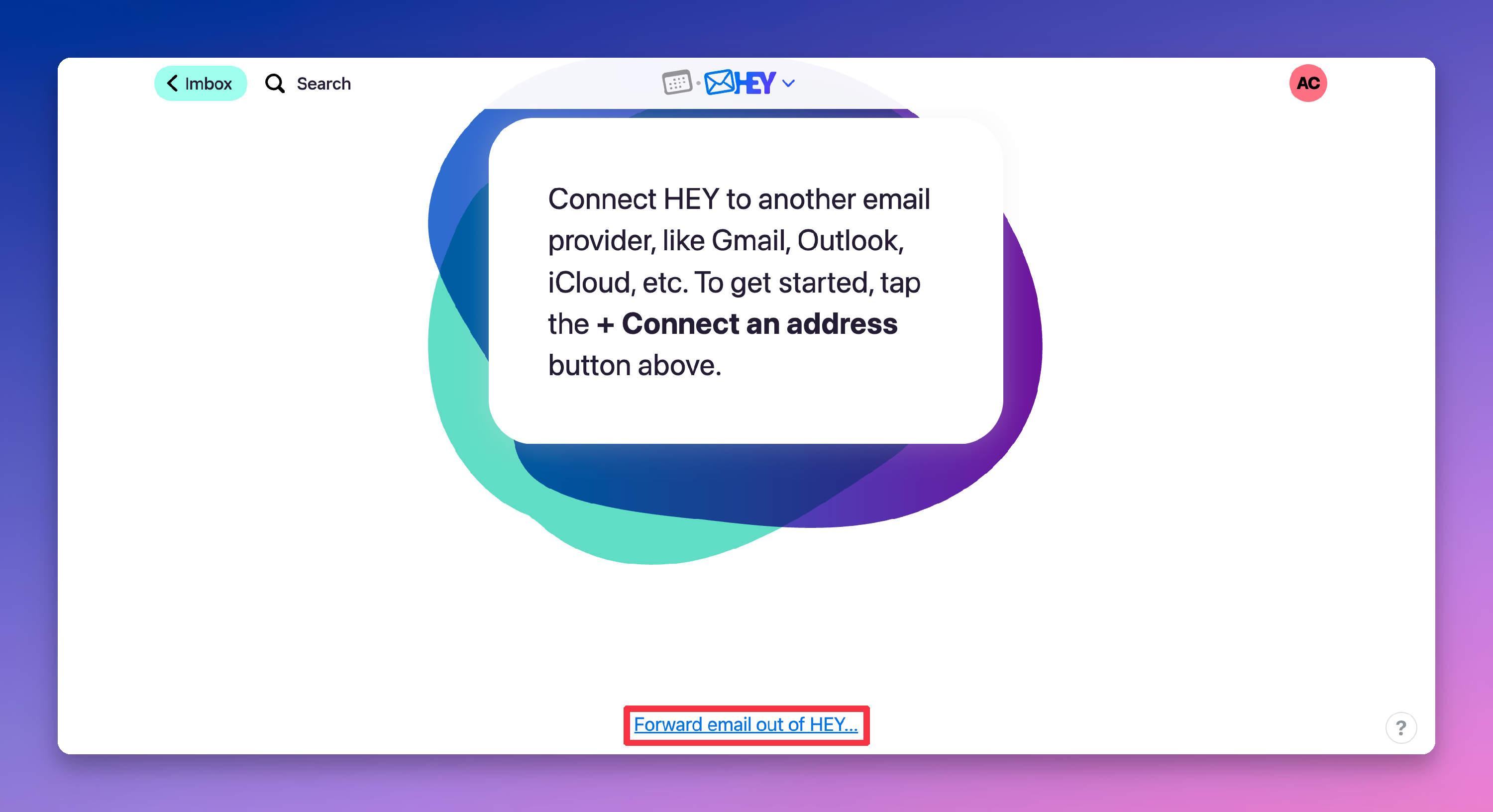
- Scroll to the bottom and click Forward email out of HEY…
- Enter the address you want to forward to.
- Click Start forwarding.
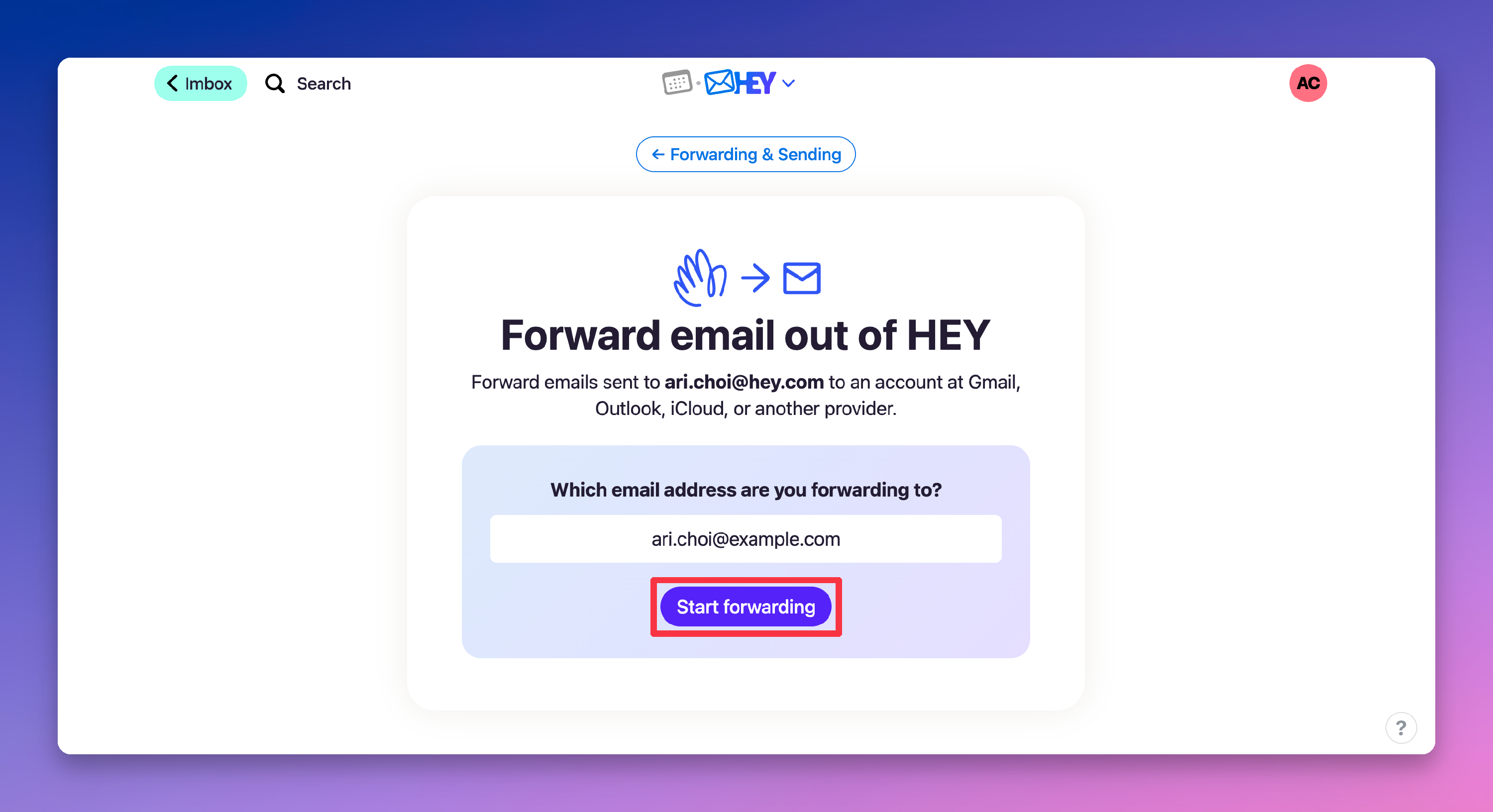
- Open the confirmation email that HEY sends to that address, and follow its instructions.
Forwarding starts after you finish the steps in that email.
What HEY forwards
HEY forwards all email as soon as it arrives, except email that it marks as spam.
If you use HEY for Domains, forwarded email does not include shared threads or private notes. Check HEY to see updates to those.
Forwarding can fail the checks that other email services use to confirm who sent an email. A forwarded email might not arrive, or the other service might mark it as spam.
Turning off forwarding
- Click your avatar (top right).
- Click the account you forward from.
- Click Forwarding & Sending.
- At the bottom of the page, click is forwarding all email out.
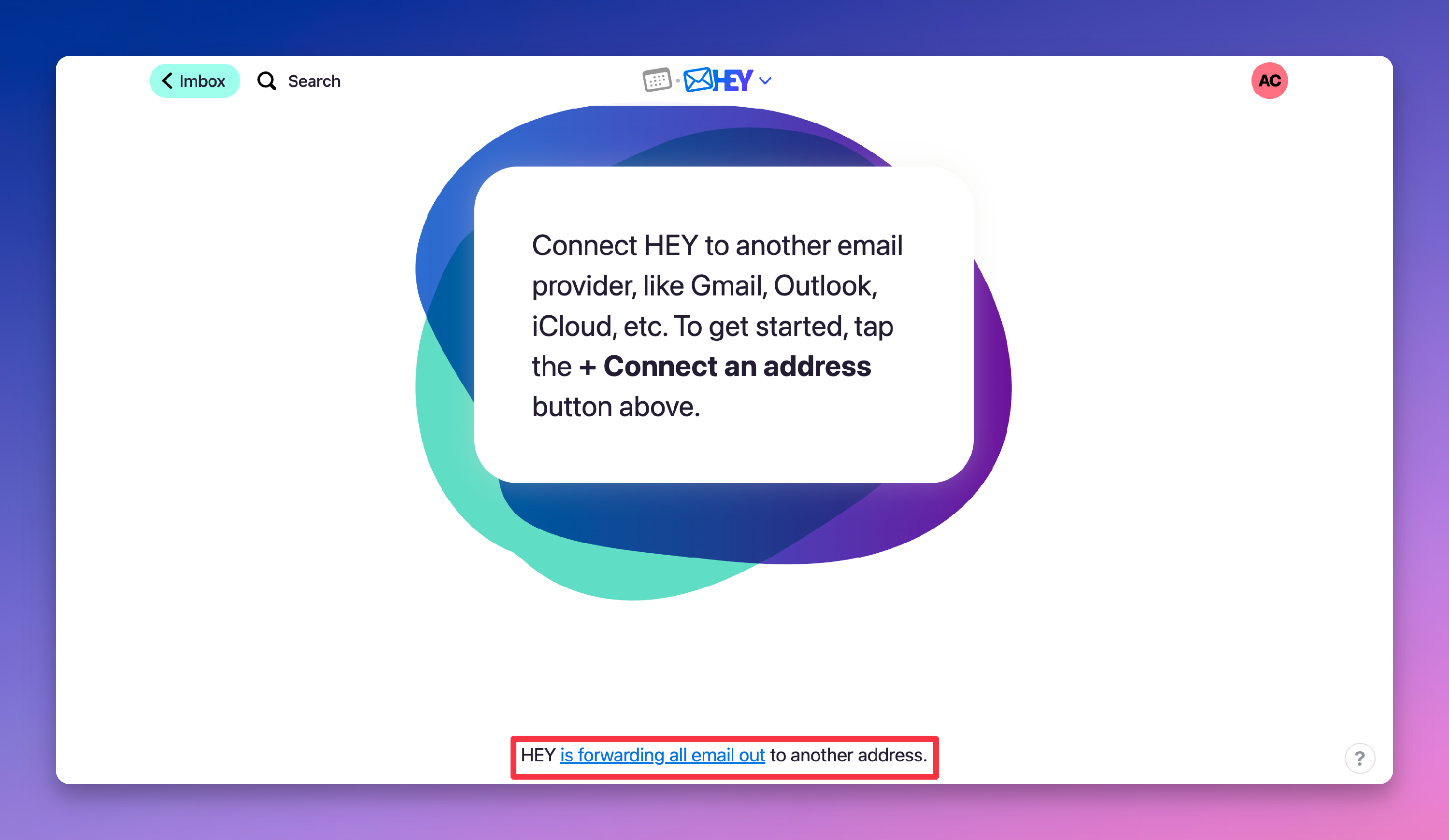
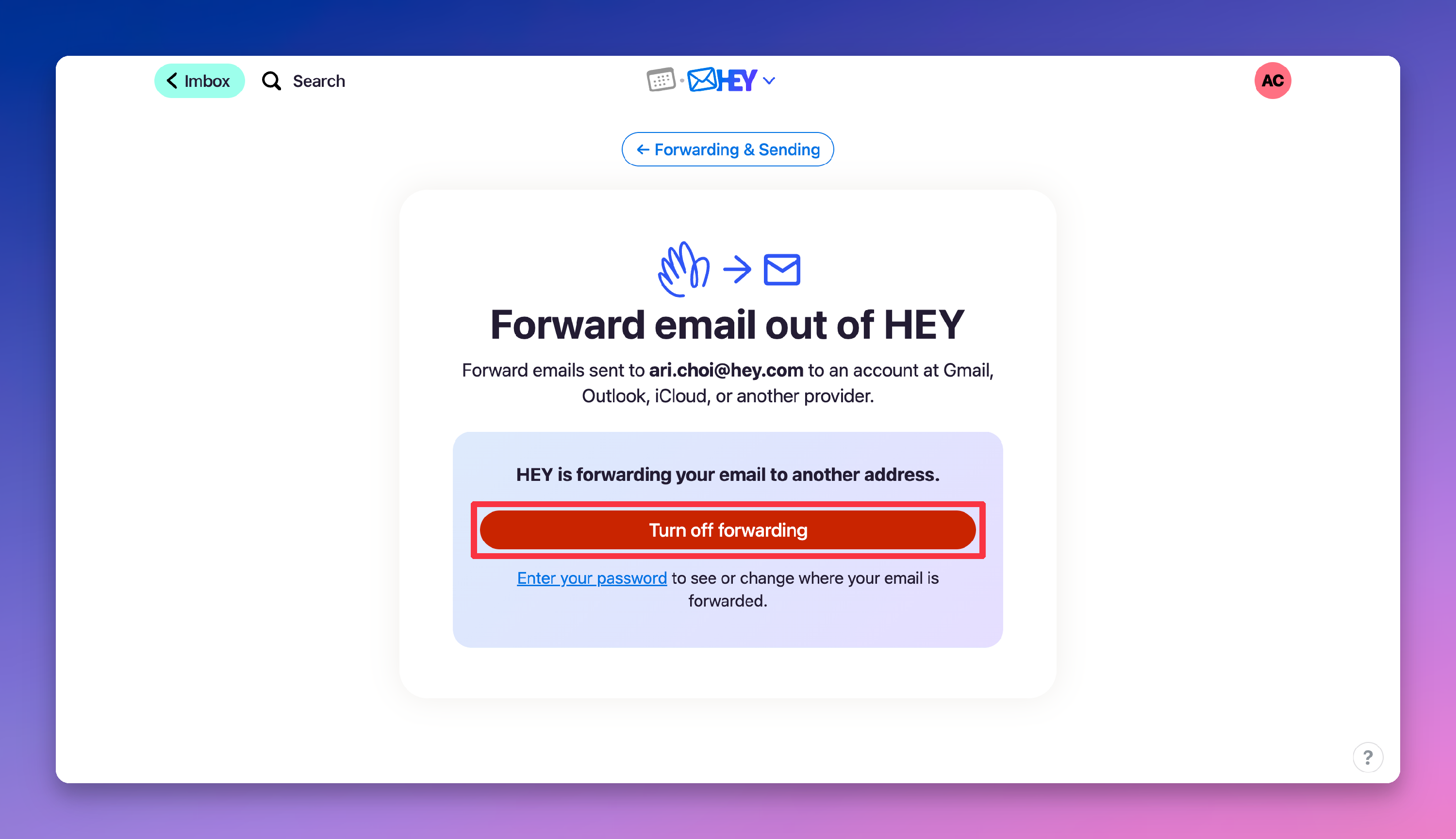
- Click Turn off forwarding.